



chillin’
chillin’




I desperately want to get back to playing/posting regularly, but I haven’t played this household since March (that’s right, March), and have literally NO IDEA what was going on based on the screenshots I took. So here they are, presented without comment.
Here are certain numbers you need to know – they are (from the graphic rules):
seti cpuLevelHigh 3000
seti cpuLevelMedium 2600
seti cpuLevelLow 2000So when you are getting your CPU – you need to have at least 3 MHz. Now,
Sims 2 was invented before dual cores, quad cores, and octo cores – so
it doesn’t really know how to deal with them. What that means is that if
you have an octo core with less than 2600 it will lag, regardless of
the fact it actually has way more than 3000 in total.1. Look for CPU where EACH core has more than 2600. (It can cope with
dual cores kind of, so 2600 is enough). You’re better off with fewer
cores, but you can control how the game works if you have more so it’s
not a deal breaker.2. RAM – always get as much as RAM as you can. RAM is what determines how much CC you can handle.
3. If you can get your Operating System and/or your game onto an SSD
drive it will go like the clappers. An SSD drive is as fast as RAM when
it comes to accessing hard drives. This is not so much from a processing
point of view, as it is an accessing your game data point of view. Also
if you can have your paging files on a separate drive to your O/S and
game – that will make it go faster as well, because it won’t be trying
to access two different parts of the drive at the same time.4. Graphics cards – avoid NVidia if you can because there has been some
lagging trouble with them and Windows 10. Radeon and Intel seem fine.
NVidia can be OK, but needs to be tweaked to get it to work. The larger
the graphics card memory, the less problem with pink flashy.When installing your game on Windows 10 – I have a forum over at Leefish
with all the details on how to get it run, based on whether you have
Ultimate Collection or the CD/DVDs. They are in these two threads:Windows 10 Graphics Problems and CD/DVD
Windows 10 Graphics Problems and Ultimate Collection
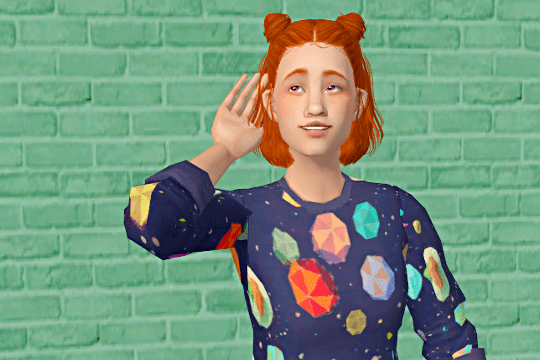
Erin: Hear that? It’s the sound of you not playing the game properLY EVER!
(Erin is quite possibly the cutest sims ever made just fyi, @simper-fi)
aahhhHHHH she looks so cute in your game! I love that hair on her! ❤️__❤️
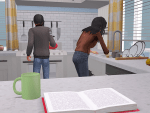

Sometimes the kids help out with the chores (when they’re not too busy hanging out down at the shore).
Pssst, Ben, your grilled cheese secondary is showing.



Tabi finally transitions to an elder! :’) She gets an immediate wardrobe change, befitting her CEO status (she’s still working and raking in the moolah, typical Fortune Sim). Note to self: pls work on elder defaults.
Not sure she likes her new business-casual look, as she prepares salmon in a rigid trance. 😛 (Still love that old family photo of them, even though I’ve taken more recent ones.)


Random Nate and Tabi cuteness while I try to remember what happened in their round when I last played it five months ago. 🙂







Assorted WIPs that will likely never be finished. ¯_(ツ)_/¯


I’ve wanted an aurora sky in my game forever and finally managed to make one that I’m happy with, even though it’s far from perfect. Many thanks to @freezerbunny-sims, who provided both inspiration and invaluable tips to my photoshop-illiterate self. ❤️





 simper fi