Mail time!

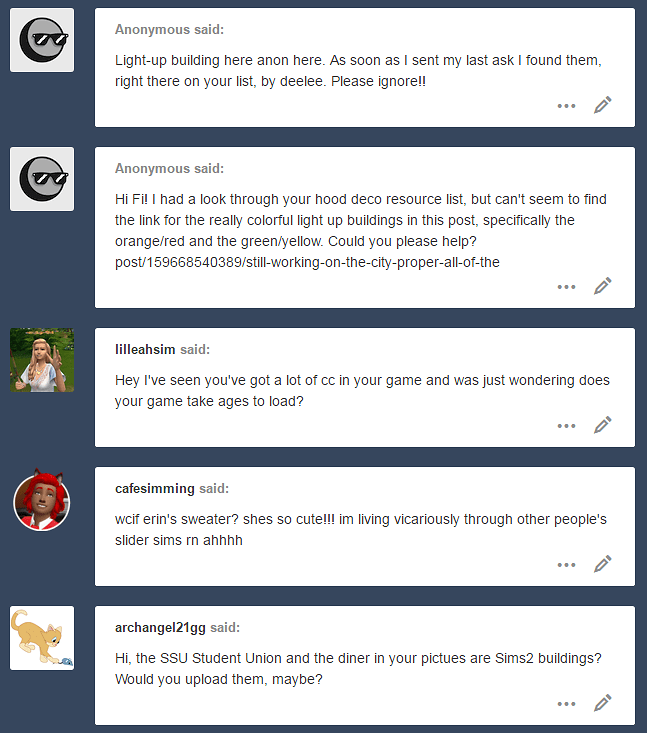
@ anon: Yay! I’m glad my resources page (which is in a constant state of disarray, thank you tumbr) was useful! 

@lilleahsim: Hi there! It takes about 20-25 minutes to load (from desktop to CAS). It might actually be a tad longer now, since I just checked my CC folder and I’m now weighing in at 11 GB. :O STOP MAKING COOL CC EVERYONE. (jk you know I don’t mean that <3)

@cafesimming: Awww, thank you! I’m quite obsessed with her, too. 😀 I originally made her to play around with sliders/be a townie in my “legacy” hood (it’s a crack legacy with an ugly founder that I casually play to see how long it takes to breed out the horrifying genetics) BUUUUUT she’s so cute that I’ll have to promote her to the main hood!

But anyway, the question at hand!

This adorable sweater is by beccabear HERE at GoS! 

@archangel21gg: Hi there! They are indeed TS2 buildings. The student union is a pretty massive lot chock full of CC, so I’m not keen on uploading that one. But I’ve been asked about the diner before (literal years ago, at this point) and I’ve been promising to upload it! I’m really going to make good on that promise, I swear! 

hey fi! i’m super sorry to bother you but i was wondering if you had any tips on making new hoods look pretty w/ hood deco and making the lots look laid out nicely. sorry that this is a lot to ask, i’m just really stuck.

Oh gosh, I’m like the worst person to ask ahahah :X There’s really no rhyme or reason to my neighborhood layout! I don’t have my game open at the moment, but if I did, I’d show you some views from the less scenic angles lmao (there are so many bald spots right now because I’m trying to redecorate with all the cool new deco that’s out!). 

My neighborhood terrain is roughly divided into a “downtown” area, a suburban/residential area, and a more rural area. This kind of helps me plan where I want the lots to go – for example, I wanted the nightclub downtown (since it has an abandoned-factory vibe), I wanted the cafe and the diner in the heart of town, I have the church, school, and park in the residential area, etc. I build all the lots in my test hood, save a clean copy in the lot bin, and then I’m free to play around with it in my main hood. So usually what I’ll do is pick a place I think it’ll work, enter the lot, and see how the surroundings look from lot view. If I don’t like it, I’ll move the lot. 😛 Took me a couple of tries to get the placement of the park right! 

I kind of follow the same “method” (if it can even be referred to as such) when placing hood deco. I basically just haphazardly place buildings wherever they’ll fit, then I’ll enter a lot and see how everything looks from lot view. If a building is too low-res or obtrusive or doesn’t really enhance the ~atmosphere~ I’m looking for, I’ll swap it out for something else. 🙂 Once I’m happy with the deco in the surrounding lot view, I basically play Tetris to fill in the gaps with whatever will fit! 😛 

Then there’s trees. Boy, I hate placing trees. Luckily, my neighborhood terrain came with a pre-decorated version with plenty of trees, compliments of Voleste! ❤ But, of course, I always wind up adding a few more once I have lots in place. I tend to use the tall pine-y trees (I had quite a bit of Baileys tonight and I’m blanking on the name) because I like the way they look and give the neighborhood a ~mountainous foresty~ atmosphere, but ever since Criquette released such high-quality seasonal trees, I’ve been liberally scattering them through the hood. 🙂 After that, I just add little details where I see fit. A carousel here, a billboard there, and STRING LIGHTS! STRING LIGHTS EVERYWHERE! 

That’s really it, I’m sorry I couldn’t be more useful. D: It’s really just a bunch of moving things around until I’m happy with how it looks (or until I inevitably change my mind again :P). Other people are loads better at decorating hoods – some people have the patience to place roads, and embankment pieces, and railroads, and gaaaaah. *____* (as an example, see this hood by @speakinginsimlish! It’s one of my favorites :D) 

Have fun, and don’t get discouraged! Some people (i.e. me) find neighborhood decorating to be a bit tedious, but with a bit of fiddling around I’m sure you’ll find a setup you like! ❤

Hi, how do you place ceilings? I follow all the steps but they won’t appear. The flooring won’t even preview if I hit shift. I have all sp and eps, idk what I’m doing wrong.

This message has been here for awhile, so I’m sorry for taking so long to respond. I’m sure you’ve figured this out by now! 

If not – please forgive me for stating the obvious here – but did you make sure the ceiling button is toggled on?

Again, this is not meant to insult your intelligence or anything! This is just the only other thing I can think of. (And believe me, it’s very easy to overlook the obvious – ask anyone who was in Sims Chat the day I freaked out and thought the game had stopped reading my CC folder, turns out I had somehow unchecked the button when you load up the game that says “enable custom content”….).

I’m not sure if there’s a keyboard shortcut or something, but I find that the ceilings accidentally get toggled off for me from time to time. 🙂 

Hi Fi! I saw on one of your last posts you talked about a breastfeeding mod… I wanted to install it in my game but I’m kind of a affraid since it’s a social plug in… can you help me somehow?

Howdy! Gosh, this message must be old, I’m sorry! :’) 

So, regarding BO’s breastfeeding mod (which is a fixed/better version of Squinge’s mod): hmmm, I’m not sure why you would have any reason to fear installing it (apart from potential hack conflicts, but BO disclosed the most likely culprits in the original post already). You can just pop the file into your downloads/mods folder. 🙂

But it’s always good practice to make a backup before doing so (as with trying anything new in your game, especially when it comes to messing with mods or neighborhoods). That way, if anything does happen to go wrong, you can simply restore your neighborhood from the backup. 🙂 

I’ve been using the mod for quite some time without any issues, but if any other users of the mod (or mods/social plug-ins in general) can think of anything else that anon should watch out for, please feel free to chime in and let me know!

Hi there, I was wondering what you do with the copyright of custom content you include in the lots that you upload here. On mod the sims it is expected to give credit to every cc file that was created by someone else on the download, so i was wondering if thats what simmers on tumblr do as well. what do you do? signed, a fellow simmer. x

Hi there! This is a good question. 🙂

For the most part, most TS2 creators are lenient about including their content/meshes in lot uploads. Especially since the game has already been around for so long, many creators are no longer active in the community and have since said that their creations are fileshare-friendly. I won’t lie and say I check the TOU of every creator of every object in my upload (I’m sorry if this is a bad habit, or lack thereof :|), but of course, if I’ve ever unknowingly redistributed something I wasn’t supposed to, I’d be more than happy to rectify that. (Off the top of my head, I can only think of a few CAS item creators who don’t permit redistribution of their meshes, but can’t recall encountering that for build/buy mode.) 

As far as crediting goes, it’s not customary (at least, not as far as I’ve seen on tumblr) to provide credit for every item included in the download. The vast majority of us use the CleanInstaller to install lots and Sims, anyway, which provides a complete list of all the content included in the uploaded, which some people screenshot and post as credit. So I’ve occasionally seen it done that way.

Hope that helps! Have a nice day, anon. 🙂 

I have a question, can one create cats and dogs in CAS, and assign them as trays with a teleporter shrub? I’d like to make my own stray pets. and if possible make my own NPCs.

Hmmm, I’ve never done this before myself, but I just googled it and apparently this can be done with the SimBlender, the same way you would make someone a townie. 🙂 

As for NPCs, I’m pretty sure you have to use SimPE to replace the game-generated NPCs with a custom one you make. But, again, I’ve never done that before, so I could be wrong! If any of my followers have any other/easier ideas, feel free to chime in. 🙂 

how your sims look so good in the game? mine all glitchy even if i have good computer and everything is max in the settings :(

I’m sorry, anon! TS2 is just one of those games that always causes problems, no matter how good your computer is! 

The good news is that I make my pictures look better with a little photoshop magic. 😉 

Here’s an example of an unedited pic from my game, and the edited version after:

image

As you can see, my game isn’t at all as bright and vibrant during actual gameplay! I run everything through snapdragoned’s PSD (with some extra adjustments to each layer depending on what I’m editing) before posting. 🙂 

Hope that helps, anon!