I edited an accessory jacket in Milkshape to hack off the sleeves and create a vest of sorts, but for the life of me I cannot get my edited mesh to show up in Bodyshop. I’ve tried following tutorials for replacing the mesh (and also using the same technique I would use to replace meshes in default replacements) but something is obviously missing. Do I have to do something differently with accessories? I’m also a bit confused because my original accessory is for multiple ages, even though I only really care to use my edit for AM, so I wouldn’t mind getting rid of the files pertaining to the extra ages as well. Any advice would be appreciated ❤
update: after dozens of attempts and reloading bodyshop only to find the mesh looking exactly the same, I’ve reloaded bodyshop and now the mesh has disappeared! this is probably not a good sign but it was refreshing to see that something changed LMAO
update: I AM AN IDIOT and forgot to move the mesh from my wip folder to my downloads :’D :’D :’D lmfao sorry for the false alarm and WOW I need some sleep
I edited an accessory jacket in Milkshape to hack off the sleeves and create a vest of sorts, but for the life of me I cannot get my edited mesh to show up in Bodyshop. I’ve tried following tutorials for replacing the mesh (and also using the same technique I would use to replace meshes in default replacements) but something is obviously missing. Do I have to do something differently with accessories? I’m also a bit confused because my original accessory is for multiple ages, even though I only really care to use my edit for AM, so I wouldn’t mind getting rid of the files pertaining to the extra ages as well. Any advice would be appreciated ❤
update: after dozens of attempts and reloading bodyshop only to find the mesh looking exactly the same, I’ve reloaded bodyshop and now the mesh has disappeared! this is probably not a good sign but it was refreshing to see that something changed LMAO
I edited an accessory jacket in Milkshape to hack off the sleeves and create a vest of sorts, but for the life of me I cannot get my edited mesh to show up in Bodyshop. I’ve tried following tutorials for replacing the mesh (and also using the same technique I would use to replace meshes in default replacements) but something is obviously missing. Do I have to do something differently with accessories? I’m also a bit confused because my original accessory is for multiple ages, even though I only really care to use my edit for AM, so I wouldn’t mind getting rid of the files pertaining to the extra ages as well. Any advice would be appreciated ❤
when you’re diving headfirst back into one of your obsessions from ‘06-07 and the vast majority of sims-related content for it is also unfortunately from ‘06-07 :’)
things have gotten so desperate I’m actually attempting to poke around in milkshape
Boroughsburg Morning
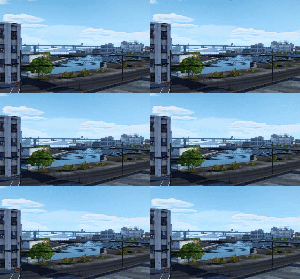
Boroughsburg Bridge
Boroughsburg Overview
Boroughsburg Square Subway Station
Night (¿ line) train
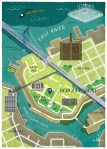
Boroughsburg Map
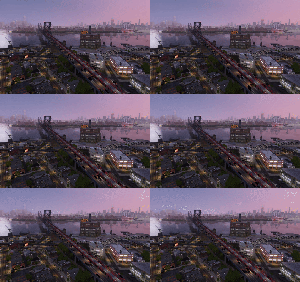
Boroughsburg Dusk, looking over the Boroughsburg Expressway
I always release worlds for free, but help me pay for medical and educational expenses! Every little amount is always greatly appreciated, with the large amount of time I put into these worlds in a busy schedule! – Potato Ballad Sims
Boroughsburg is an up-and-coming neighborhood in
New York City that straddles the delicate line between working-class
industrial grittiness and rarefied hipsterdom. Enjoy spectacular views
of Manhattan from the waterfront, while live music, outdoor markets and
art shows brighten atmospheric cobblestone streets and factories being
transformed into trendy lofts and offices.
Not your stuff?
You could always go for gyros, pierogies or matzo ball soup at the
local diners, visit cultural centers, meet up with old timers and dance
the night away.
So
I was never quite satisfied with the Maxis city worlds in the sims
series, and wanted something that felt like somewhere. Boroughsburg is a mashup
of New York City’s DUMBO, Williamsburg, Greenpoint, Long Island City, and Astoria- but is open enough that you can build whatever bit of New York you want in it. But more importantly, it’s the cumulation of around almost two years of work- and I
hope you’ll enjoy it!
Why didn’t I choose a more ‘New-Yorky’ location? It’s because
these parts of town are probably the more ‘neighbourhood-like’, meaning
that you get a nice combination of quiet areas and busier ones that feel
the most realistic in TS3- otherwise you run into the ‘empty-world
syndrome’ that plagues many Sims 3 city worlds. On top of that, I find the inner boroughs
more fascinating in their endless subtle adaptations for daily survival in the metropolis, more so than the played-up theatrics you often
find on your typical New York itinerary 🙂
Compact medium city world, 69 lots + 2 lots for divers
Mostly empty world with deco shells- only core lots are finished. This is called a ‘Let’s Build’ for a reason!
Should run smoothly on mid-high-tier computers.
Includes recolors & remeshes of the hot air balloon, train, police car, fire pickup, taxis, flags, moon, clouds and weather made specifically for a New York environment- if you want to see those in action, you will need to remove other replacement mods first.
Base game + LN spawners included.
Island Paradise compatible- docks and dive lots are provided.
A separate download includes an inspiration
folder with some examples of buildings in each district, in case you
were wondering what each district was inspired by (and what to build!). Also included is a map with world districts, appropriate addresses and lot sizes, along with sound emitter locations, sounds & offsets, if
you want to replace those lots.
Installation instructions are included in the download folder. Please follow them carefully.
CC Notes
All custom-made CC is included in several packages. You must install them or else all you’ll get is an empty world!
Over two hundred new items made for this world, optimized for file size and game performance (with LODs).
Some of them have been activated in the game catalogue since they’re
also useful in many other situations. All in-game catalogue items have
proper names and descriptions!
I tried to keep this pack to a minimum for expansions.
Late Night is required!
World Adventures is suggested– without it, you’ll miss out on the sounds that come with the subway train.
Content from Ambitions, University Life and Island Paradise is used, but the corresponding content packages have been included if you don’t have the expansions.
Content from Riverview and the ticket machine + turnstiles from the Ticket to Entry set
are included as a package. Feel free to remove if you have the
decrappified packages. The ticket machine is bugged and so you will need
this Store Fix package.
PLEASE don’t
redistribute this content (or convert it without permission)- some of
it was sourced with permission from other creators. So I hope you
respect this simple request- you are the guardians of this work!
and @twofee sent me one too! so I’m going to list 10 things that make me happy! ❤
winter/cold weather
cozy socks
snuggly blankets
Christmas time (and Christmas music! ❤)
that fact that I’m finally succeeding in my resolution to drink more water
binge-watching naruto (or binge-watching anything really)
a nice cold beer
genmaicha
my throwback playlist of emo songs
snow! which we’re supposed to be getting thursday!
my list is pretty season-specific lol but this is my favorite time of year! who doesn’t love being cozy on the couch with blankets and a cup of tea and a binge-worthy show??
today’s project: attempting to organize my maxis recolors folder D:
it’s an absolute DISASTER, especially the IKEA recolors, so I’m pretty tempted to delete them all and start from scratch with only one color palette + one wood palette :’D
ah I’m sorry! I don’t 😦 I just downloaded the whole thing and then picked out a handful that I liked the best. If I happen to load up bodyshop/CAS anytime soon I can try to get the exact file name, but no promises, I’ve been on a build/buy kick lately :’)







 simper fi