
Hello hello!

They are from this set HERE!
Teehee, yep! One of my patients had a sweet old bulldog named Porkchop, she used to bring him around all the time. 😀 So I named this little guy after him!
I’ve answered a wcif about that couch recolor right here!
Hi there! I’ve already listed my main sources of hair retextures on my resource page. 🙂
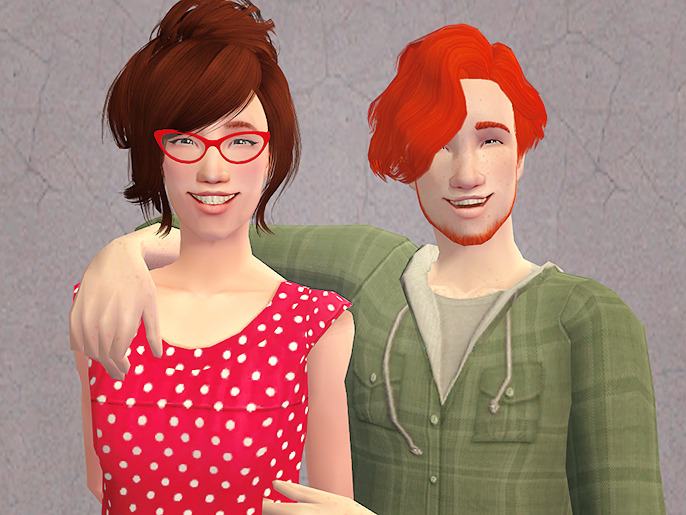
As requested, here are Alfred and Sheila up for download!
Sheila Dunne
Sheila comes packaged with Maxis clothes and hair (to avoid that creepy open head problem in Bodyshop). Her hair can be found HERE and her glasses (not included) can be found HERE. She uses a genetic skin and a custom eye color, which are included.
Alfred Blake
Alfred comes packaged with Maxis clothes and hair (to avoid that creepy open head problem in Bodyshop). His hair can be found HERE. He uses a genetic skin and a custom eye color, which are included.
Stats are provided for those interested in how they are in my game – feel free to change anything and everything to your heart’s desire! Change their names, personalities, sexual preferences, hair, clothes, genetics, whatever. I’d just appreciate a tag or a link so I can see what shenanigans they’re up to in your game. 😀
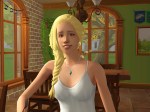
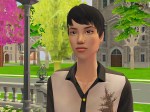
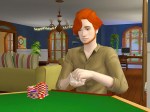
Chase, Audrey, Annie, and Alfred.
Going through my old posts to update the tags and I got really sentimental when I saw this. This post is about two years old. They were all just baby dormies T__T
Awww, thank you so much! ❤ It means a lot to me that you want to get into Sycamore Cove from the very beginning. 😀 Unfortunately, it’s never been the most structured of neighborhoods (especially in the beginning), a decision I regret. In retrospect, I wish I made it more of a BaCC, with actual rules and better record-keeping. :3
I don’t have any character introductions posted, although it’s something I’ve been meaning to do! (At this rate, it’ll be a miracle if they’re done before the founders age up and die. :P) The neighborhood kind of just… starts. XD Honestly, using /chrono after the tag is the best way to do it, but I’m warning you ahead of time that the beginning is poorly documented. X)
I basically just threw Sheila into the university I built for my last hood and never used, and made her a witch because I never play them, and then promptly neglected her witchiness as soon as the neighborhood gets underway. 😀 That should bring you more or less up to speed!
ohhhhhhh looking through the Sheila tag reminds me that I was only tagging the early rounds as “windham university” and not including the “sycamore cove” tag D’OH. stay tuned, will fix~!
Hello! This ask has been here for a really long time (I’m sorry!), and you most likely figured it out by now. But just in case, you only need to save the Documents/EA Games/The Sims 2 folder to backup the neighborhood (or Documents/EA Games/The Sims 2 Ultimate Collection, in my case). The Program Files folder shouldn’t ever really be touched and contains the core game files. All your user files/neighborhood-specific files will be in the Documents folder. 🙂
Feel free to send another message if you have any other questions!
Thank you! I just searched “plumbbob” on Colourlovers. 😀
Hi there!

They’re by DOT @ TSR, but I couldn’t find the post for the life of me, so grab them here at the booty instead. The file is lanters.zip. 😀
 simper fi